QBCore Only
Halloween Blackout System - Simple
US$2.99
One-time Purchase
Secure checkout via Tebex
Description
Blackout + Halloween Weather Control for QBCore
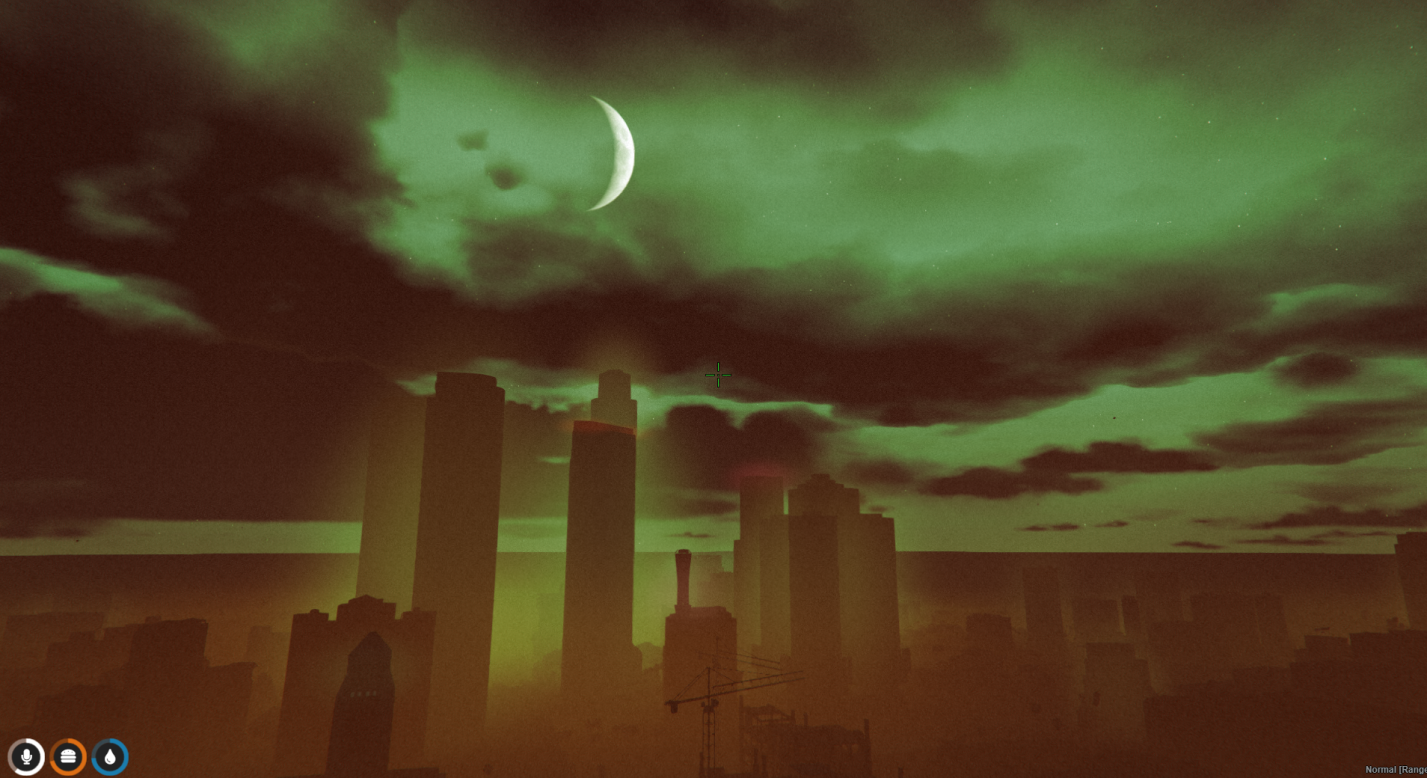
Bring instant spooky vibes to your city. This admin-controlled script toggles a full citywide blackout and activates the Halloween weather theme built into QBCore—perfect for Halloween nights, purge events, emergencies, and any atmospheric roleplay.
Check the video out here
Highlights
- One-command activation:
/blackouton - Instant restore:
/blackoutoff - Creepy ambience: moon appears, green sky, rolling fog
- Server-wide power cut: streetlights & building lights go dark
- Built for QBCore and admin-run events
- Lightweight & simple: zero config required to start
Commands
/blackouton— Enables blackout mode and Halloween weather./blackoutoff— Disables blackout mode and restores normal conditions.
Best For
- Halloween events
- Purge-style scenarios
- Emergency drills
- Cinematic server moments
Requirements
- FiveM server
- QBCore framework installed
- Admin permission to use the commands
What You’ll Receive
When you download this resource, you’ll get the following files:
client.lua— Client-side effects (open source)config.lua— Configuration options (open source)fxmanifest.lua— Manifest file (open source)README.md— Documentation (open source)INSTALLATION.md— Setup guide (open source)server.lua— Core functionality (escrow protected)
Installation (Quick Start)
- Drop the script folder into your
resourcesdirectory. - Add
ensure <resource-name>to yourserver.cfg. - Restart the server or run
ensure <resource-name>from console. - Use the commands in-game.
Tip: Most players won’t want this weather all the time—this script is designed for short, admin-controlled events.